Construction areas
Written By knollp
Last updated About 1 month ago
Office
Construction areas are general categories into which a construction site can be divided. In the simplest case, these are the different floors of a building or various rooms. However, depending on your needs, you can freely define and use your own area names.
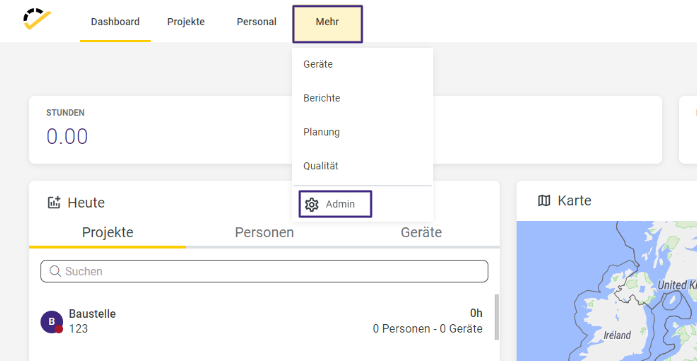
To create a construction area, navigate to More -> Admin in 123erfasst Office.
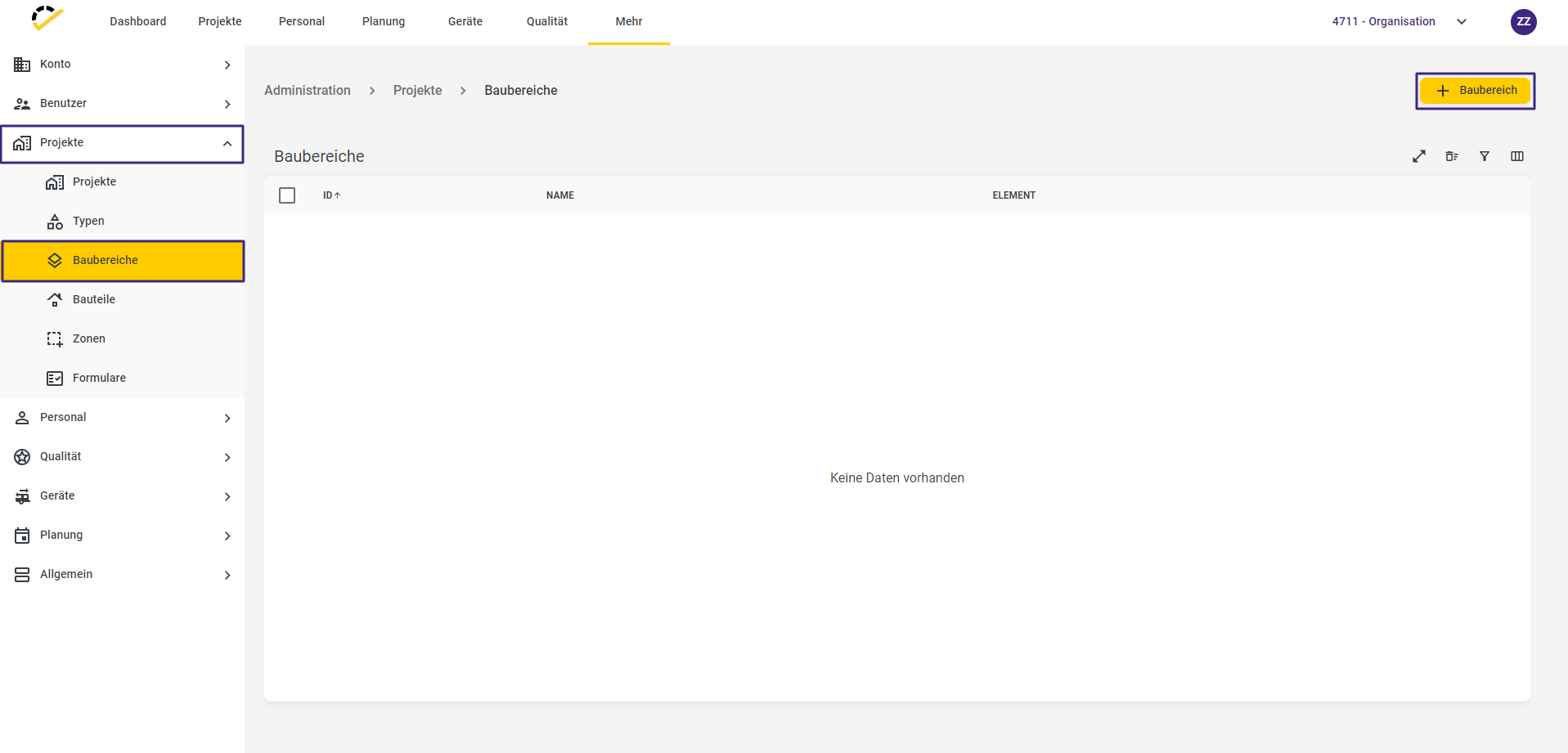
In the Admin section, navigate to Projects -> Construction Areas.
Use the + Construction Area button in the top right corner to create a new construction area.
The Name field is a required field.
The Id and Projects fields are optional.
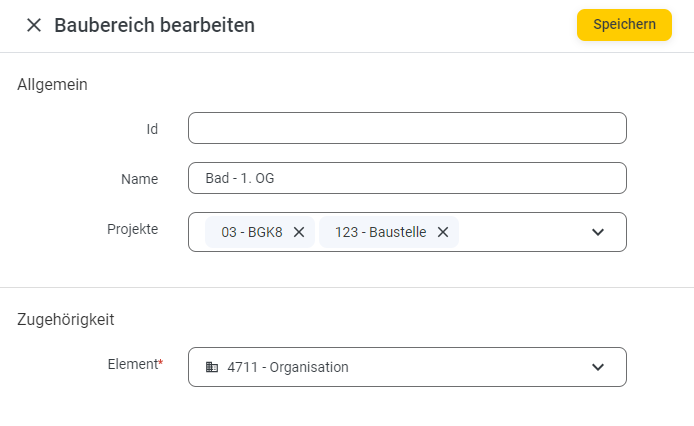
Assign the construction area to the desired project(s).
Click Save to complete your entry.
You also have the option to create construction areas directly within the project master data. To do this, click the + sign in the Construction Area field.
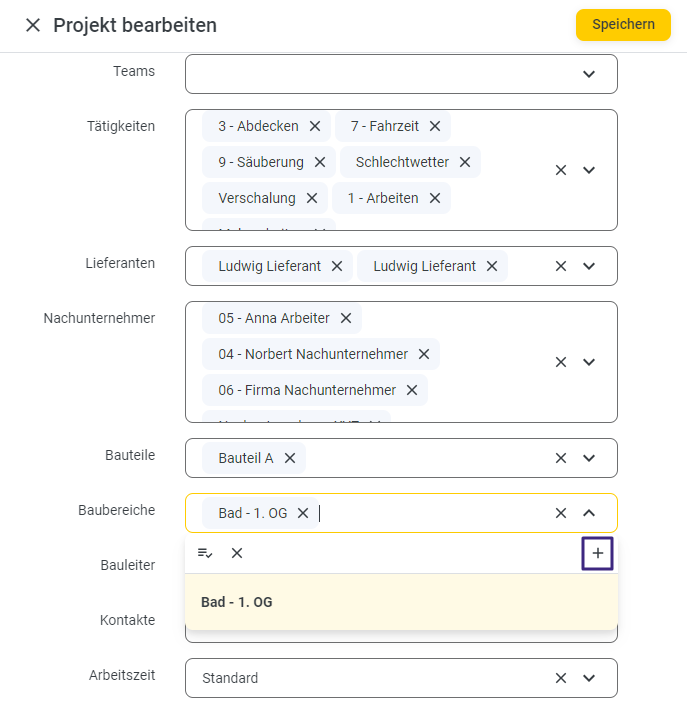
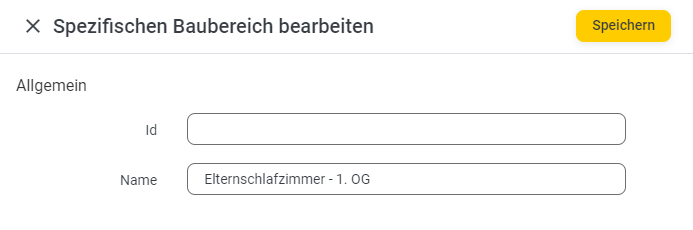
The following screen will then open, where you can enter the data as described above:
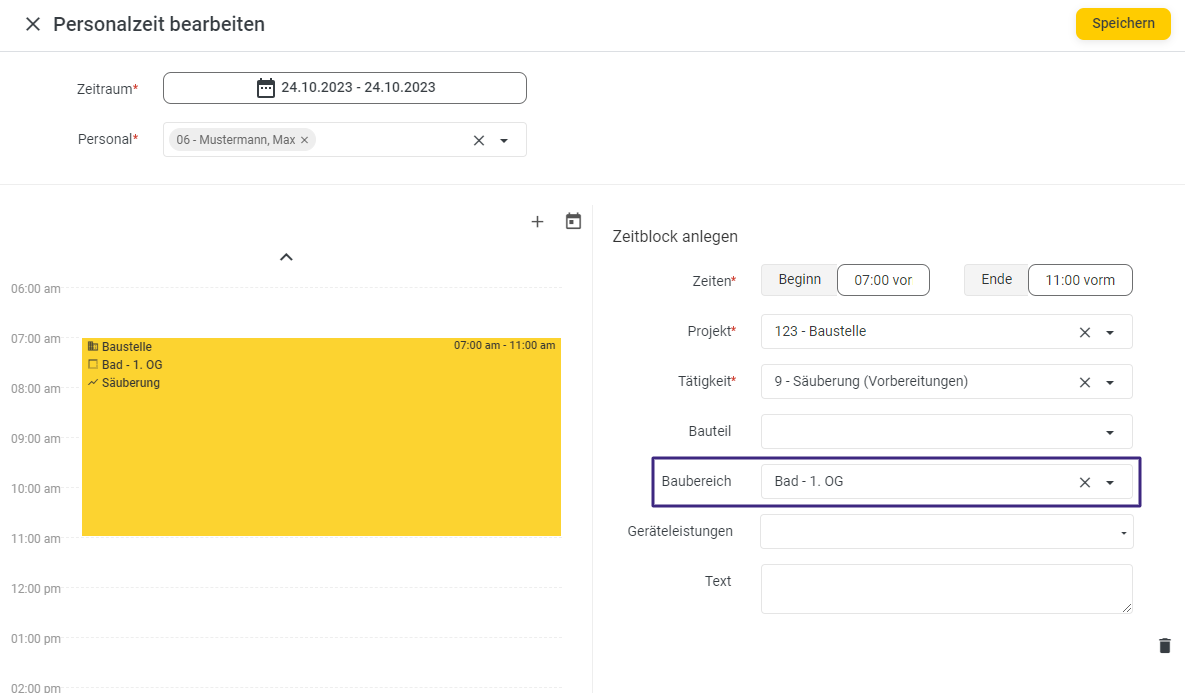
For example, if you now enter a "Time" for any employee on one of the saved projects, you can access the construction area during entry and thus post the employee’s time even more specifically to a project within a particular construction area.
App/Web Entry
Construction areas are also available in the 123erfasst App/Web Entry, for example, during time tracking.
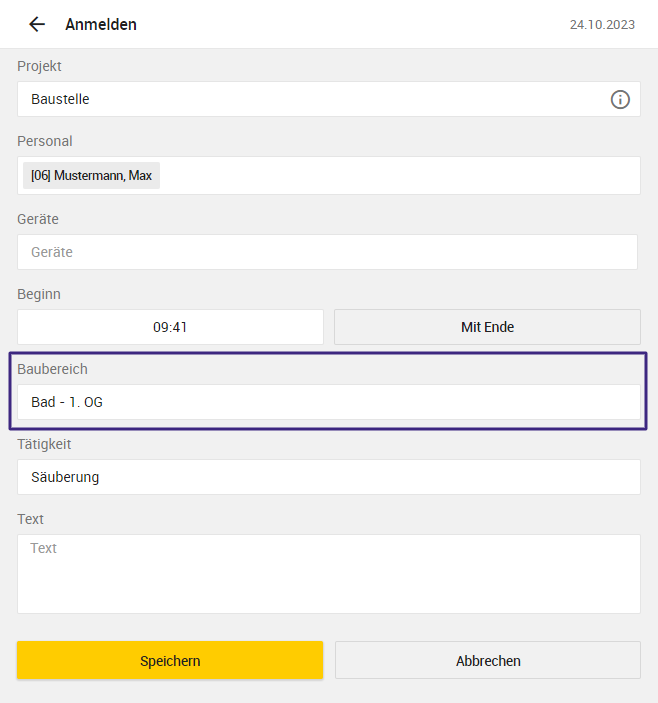
Note: If only one construction area is assigned to a project, the Construction Area field will not be displayed during data entry in the App/Web Entry. Employee time is automatically posted to the existing construction area.