Data
Written By knollp
Last updated 6 months ago
You now have the option to permanently delete your data in 123erfasst Office.
Click the More -> Admin -> Account -> Data buttons to access the Data Protection section.
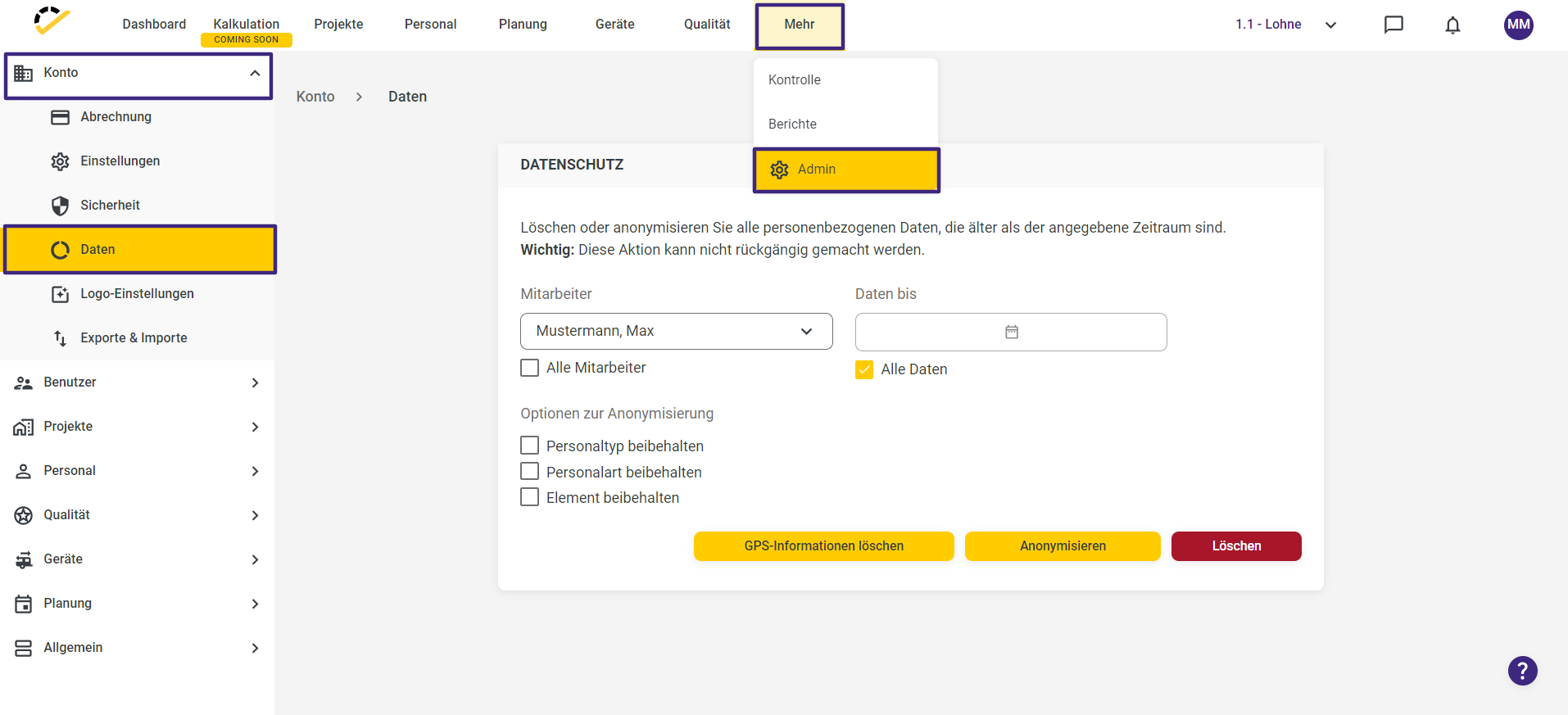
In this section, you can delete or anonymize personal data for selected or all employees—either up to “Point in Time X” or “All Data”—that is older than the specified period.
If you specify a “Date X,” this applies to the recorded data, including payroll data.
If you select “All Data,” this applies to the recorded data, including payroll data and master data.
Important: This action cannot be undone.
The following options are available to you:
Delete GPS information
Anonymize
Delete
If you want to anonymize the personal data, you can select additional options:
Retain personal data type
Keep employee type
Keep element
Before you irrevocably anonymize/delete the selected personal data, a window will appear to confirm that you really want to proceed with this step.

In this window, you will be prompted to enter, for example, the selected employee’s name in the text field. If you have selected the “All Employees” option, enter “All Employees” in the text field.
When you finally click the "Delete" button, a message will appear in the bottom right corner stating, "This process may take several hours."
To make the "Data" feature available in your 123erfasst Office, contact our support team at support@123erfasst.de so we can enable this feature in your account.