Information on role migration for the new interface
Written By CAL
Last updated 6 months ago
In this article, you’ll learn how to migrate your existing roles to the new interface, what you need to keep in mind, and what happens automatically if you don’t take any action.
What does “role migration for the new interface” mean?
Role migration describes the one-time process in which all existing old roles are transferred to the new interface. The permission structures of
the roles are preserved so that your current rights and assignments continue to function correctly.
Until when can I decide for myself whether I want to migrate?
You can already migrate your roles manually to the new interface.
If you have not performed a migration by February 28, 2027, all existing roles will be automatically migrated to the new interface.
Will my permissions remain the same after the migration?
Yes.
During the migration, special care is taken to ensure that the existing permission structure remains unchanged so that your users continue to have the same access rights as before.
Who is authorized to perform the role migration?
The migration can be performed by users who are also authorized to create or edit roles.
Therefore, make sure you have the appropriate administrative rights before you begin the migration.
How can I switch to the new interface?
How to switch to the new Office design in general is described in a separate article. You
can find the relevant article here: https://123erfasst.featurebase.app/de/help/articles/7963064-wechsel-zum-neuen-oder-alten-office-design
Where can I find the roles that can be migrated?
Here’s how to access the roles:
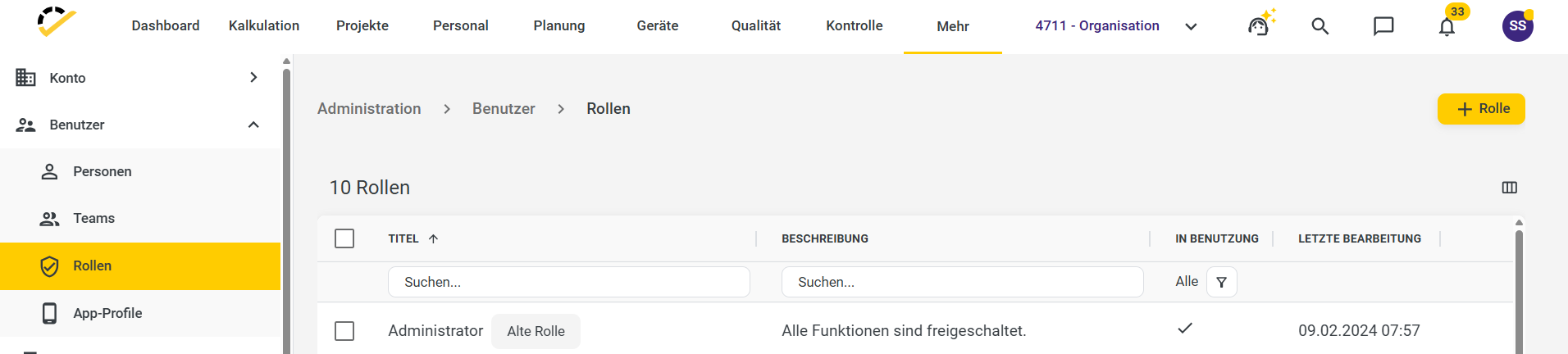
In the menu, click Admin > More > Users > Roles.
You can identify old roles before migration by the label “Old Role.”
When will I be prompted to migrate?
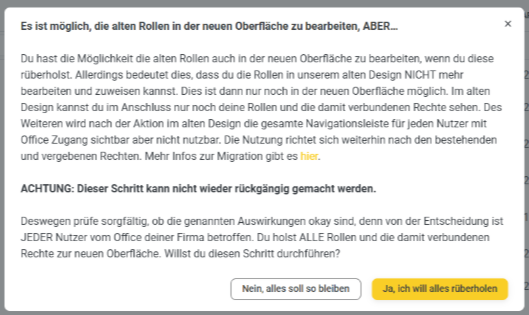
As soon as a user clicks on an old role, a migration prompt will appear.
From that point on, you can decide whether you want to perform the migration now or later.
Can I migrate only individual old roles?
No, individual old roles cannot be migrated selectively.
When you start the migration, the following will occur:
all old roles created for the new interface will be migrated
all old roles for all elements of a client are migrated (migrating only individual elements is not possible)
What exactly happens to the roles during the migration?
During the migration, your old roles are split into new roles and profiles:
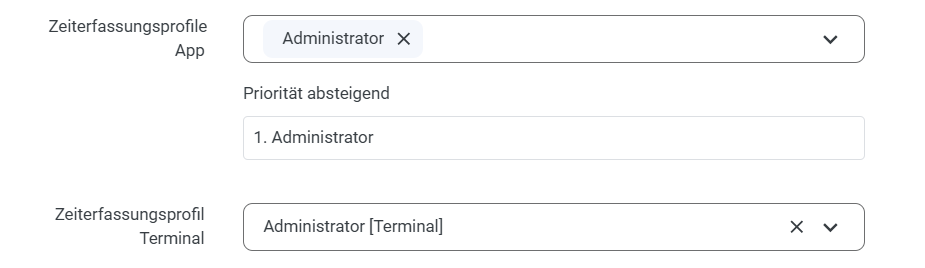
The old role is converted into a new role.
For web entry/app and terminals, the corresponding new profiles are created.
After the migration is complete, only the new migrated roles will be displayed in the system.
How are users assigned after the migration?
User assignment occurs automatically:
Every user who was previously assigned old roles is automatically assigned to the new migrated roles.
The app and time profiles derived from the old role are automatically assigned to any user who did not yet have any assigned profiles.
What will I see in the interface after the migration?
After migration:
only the new migrated roles are displayed
Old roles are no longer visible, as they have been replaced by new roles and profiles
How do I assign the migrated role in the HR master data?
After migration, the new roles are automatically assigned to an employee’s HR master data.